More than a seating chart generator.
SweetSeat is built around the constraints teachers already juggle when they make a seating plan.
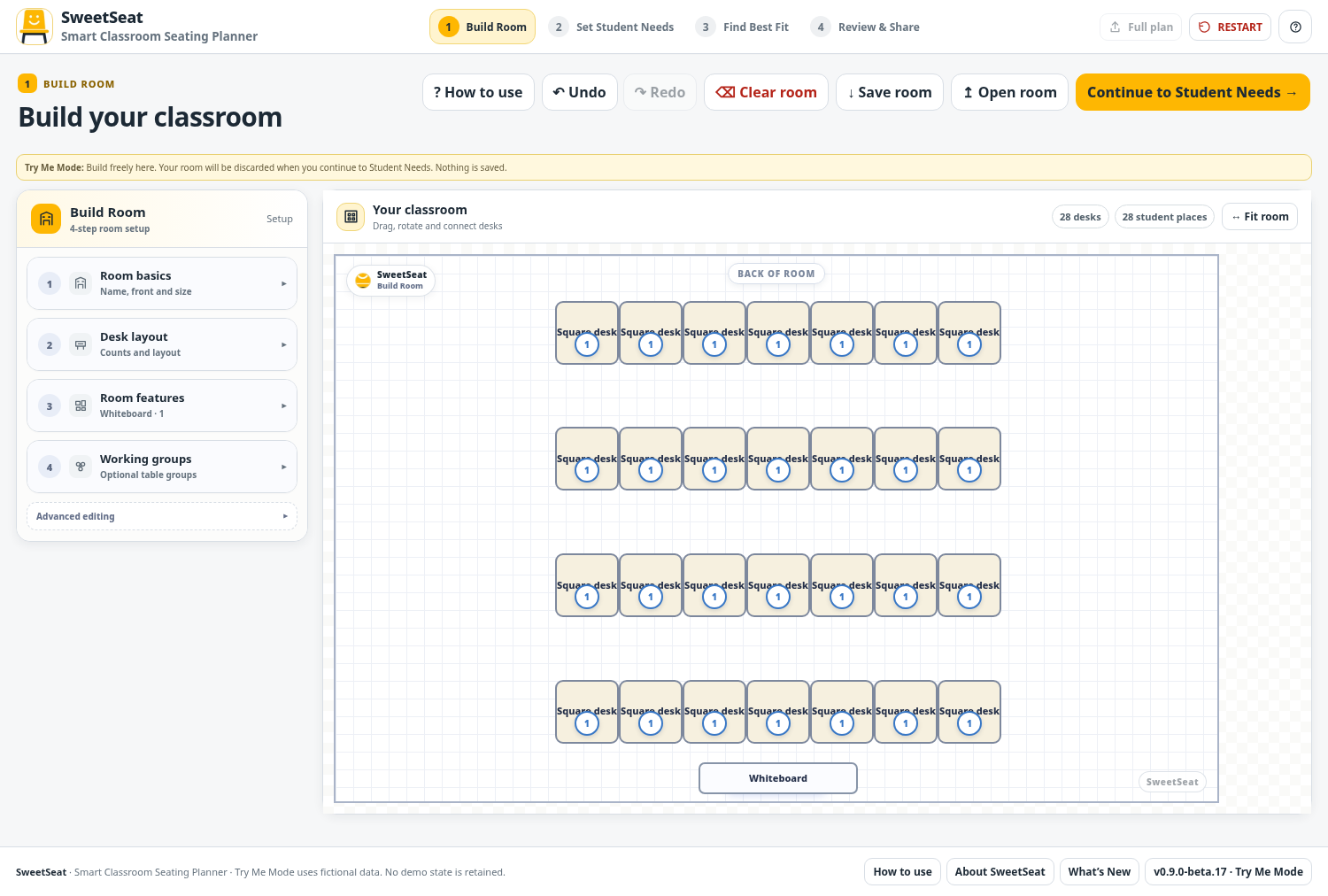
Design your actual room
Build classroom layouts using multiple desk shapes, rotation, snapping, grouping and room annotations. The optimiser works with the seats you create rather than forcing the room into fixed rows.
- Square, trapezoid and semicircle desk types
- Desk rotation, duplication and grouping
- Room text boxes and resizable images
- Door placement and front/back orientation
- Fit room and responsive canvas handling
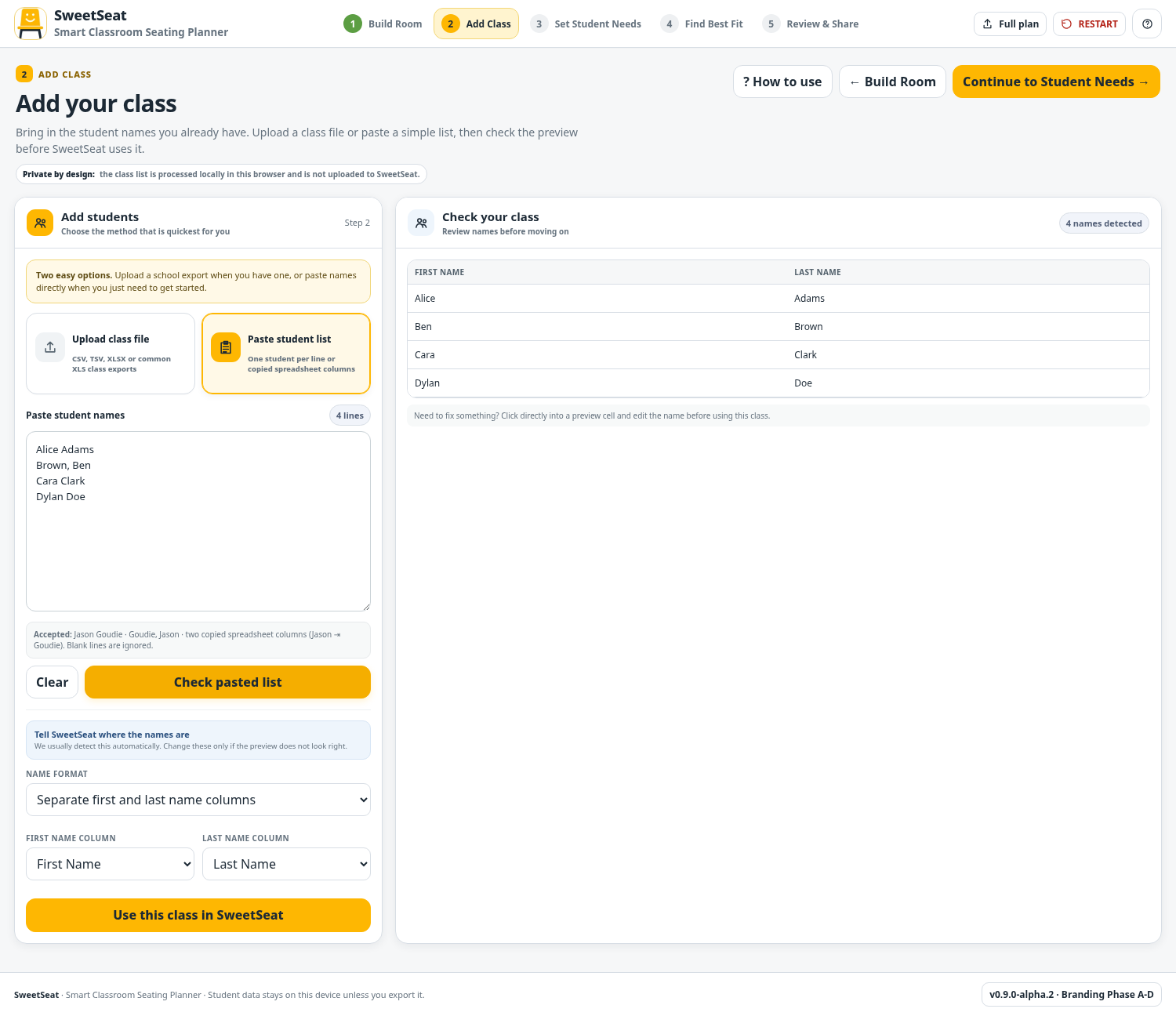
Add a class quickly
Type students directly, paste a class list or use spreadsheet workflows. Student information can then flow into the needs and seating screens.
- Bulk student entry
- Paste or import class lists from common spreadsheet files
- Student rename tools
- Sorting by first name, last name or gender
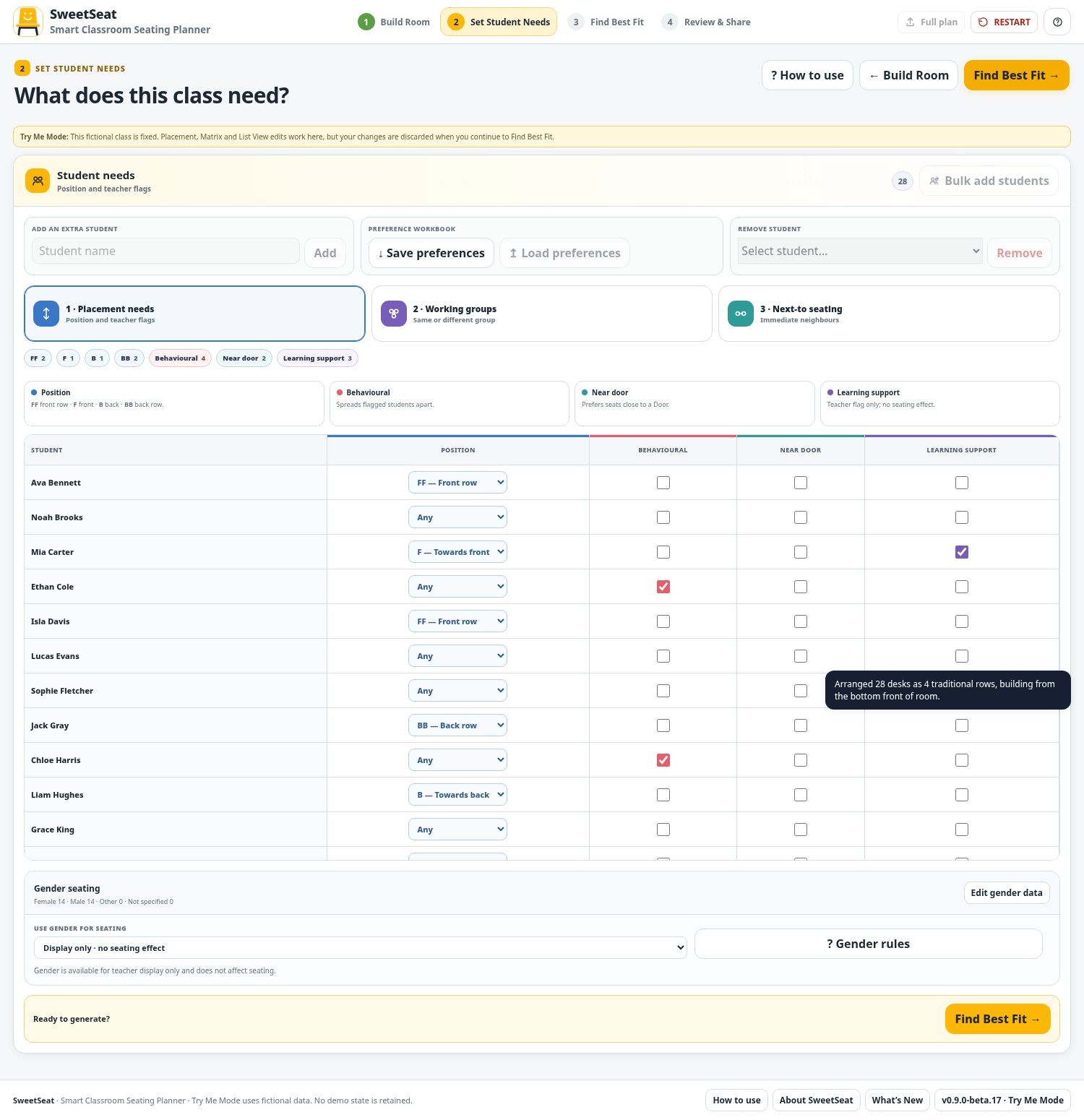
Set student needs without losing the big picture
Use placement settings and relationship matrices to capture considerations that can be difficult to balance simultaneously.
- Front/front, front, back and back/back placement
- Behavioural spreading
- Near-door and learning-support flags
- Working groups
- Next-to and do-not-place-together preferences
- Strong teacher preferences shown separately
Find a practical fit
SweetSeat can automatically arrange students around the actual classroom while considering the priorities selected by the teacher.
- Automatic seating optimisation
- Manual swaps and adjustments remain available
- Undo/redo for room and plan changes
- Selection and quick room-edit tools
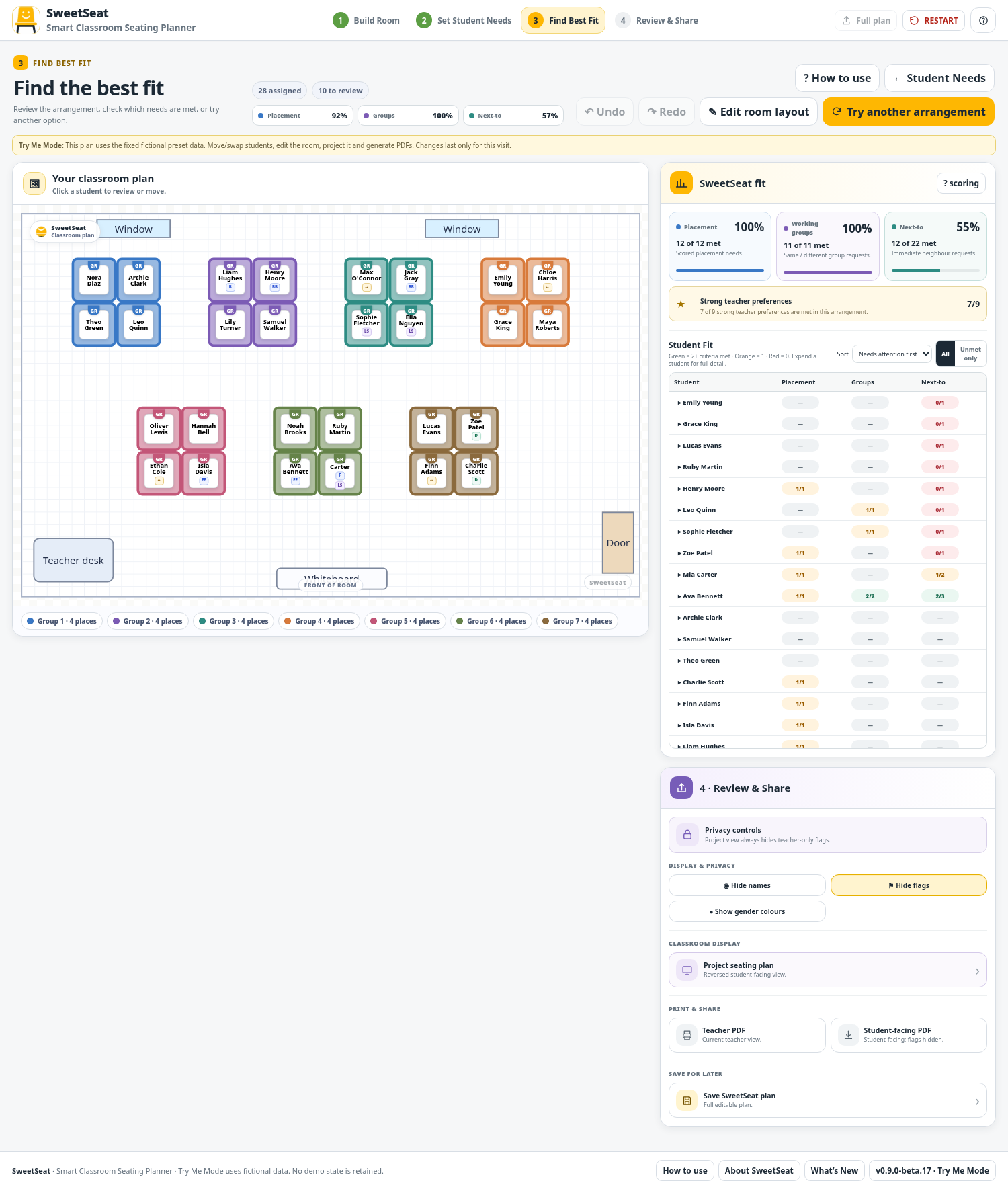
See why a plan works
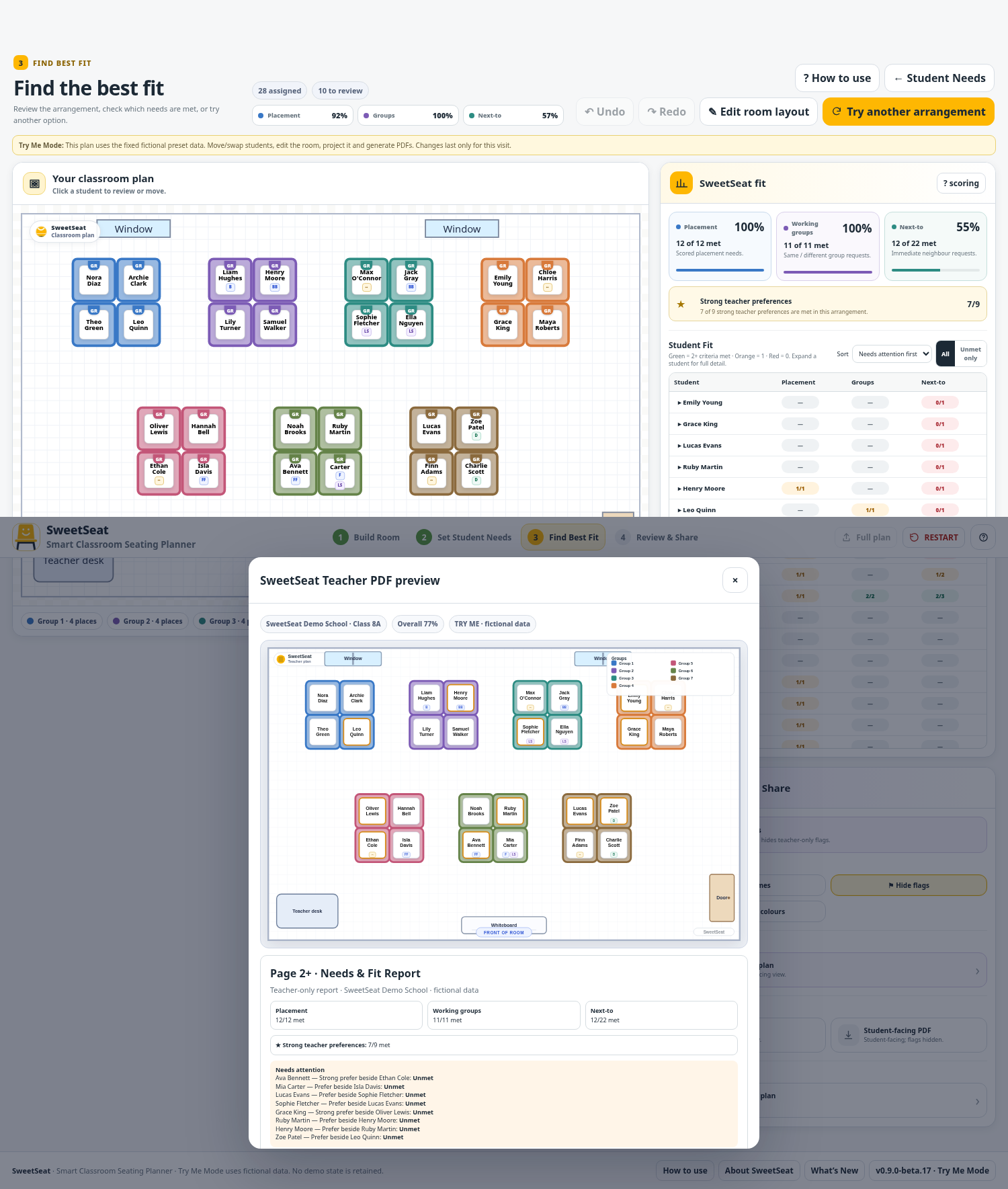
The Student Fit view makes the result inspectable. Needs-attention-first sorting and an Unmet only filter help teachers focus quickly on compromises.
- Fit Summary cards with met count, total and percentage
- Selected student displayed above Student Fit
- Student Fit thresholds: 2+ met criteria green, 1 orange, 0 red
- Met, Not met and Informational states
- Expandable per-student details
Review and share
Prepare a cleaner student-facing plan or export the teacher-facing information needed to review the arrangement.
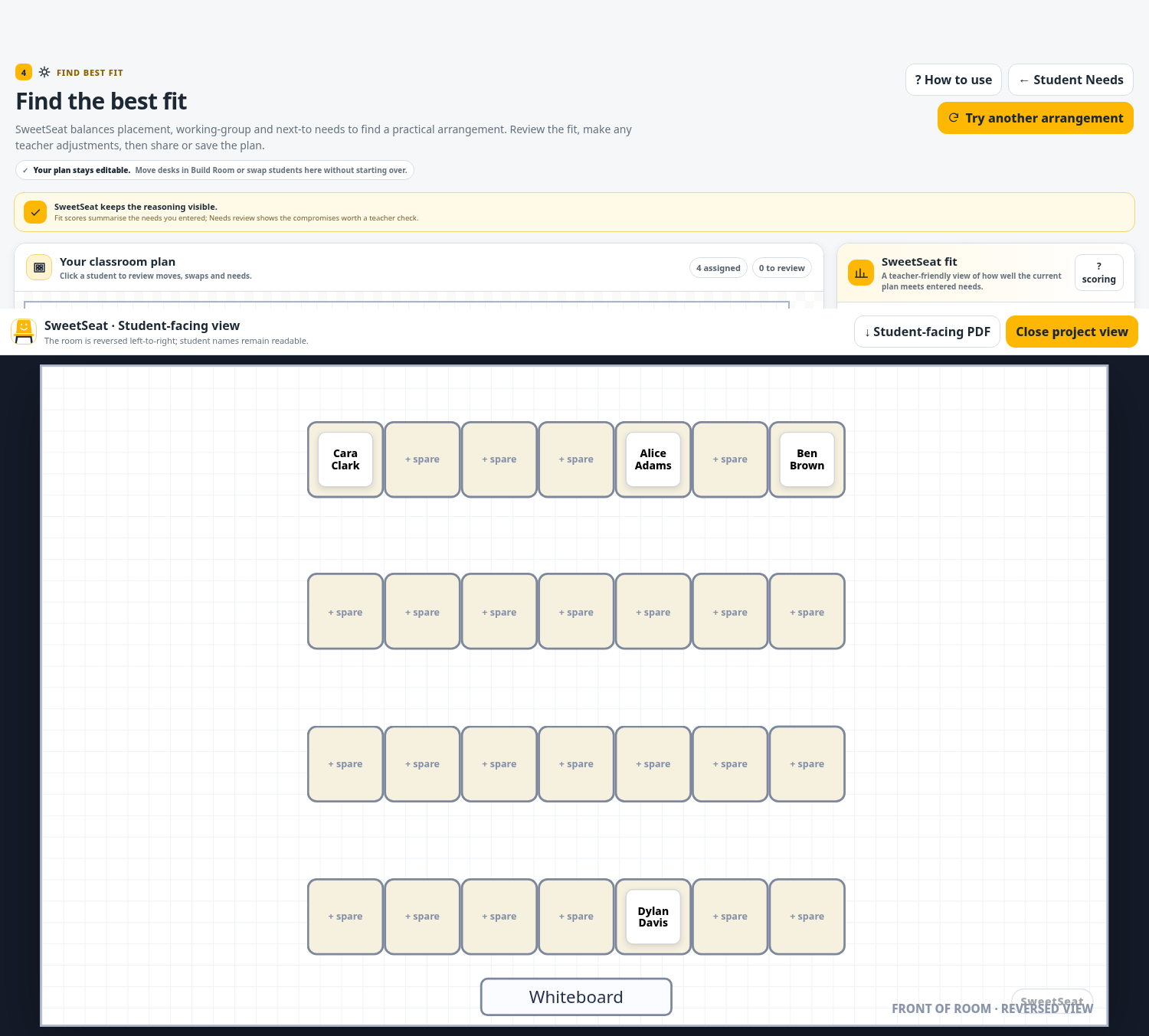
- Project/classroom view
- Hide names when required
- Front/back projection view
- PDF page 1 seating plan
- Page 2+ Needs & Fit Report
- Unmet-needs section and per-student detail
See the workflow without entering a real class.
Try Me uses only fictional students and mirrors the SweetSeat workflow. Each stage starts with its own demonstration data, so temporary room and Student Needs changes are not retained as a classroom record.